<?xml version="1.0" encoding="UTF-8"?> <rss version="2.0"
xmlns:content="http://purl.org/rss/1.0/modules/content/"
xmlns:wfw="http://wellformedweb.org/CommentAPI/"
xmlns:dc="http://purl.org/dc/elements/1.1/"
xmlns:atom="http://www.w3.org/2005/Atom"
xmlns:sy="http://purl.org/rss/1.0/modules/syndication/"
xmlns:slash="http://purl.org/rss/1.0/modules/slash/"
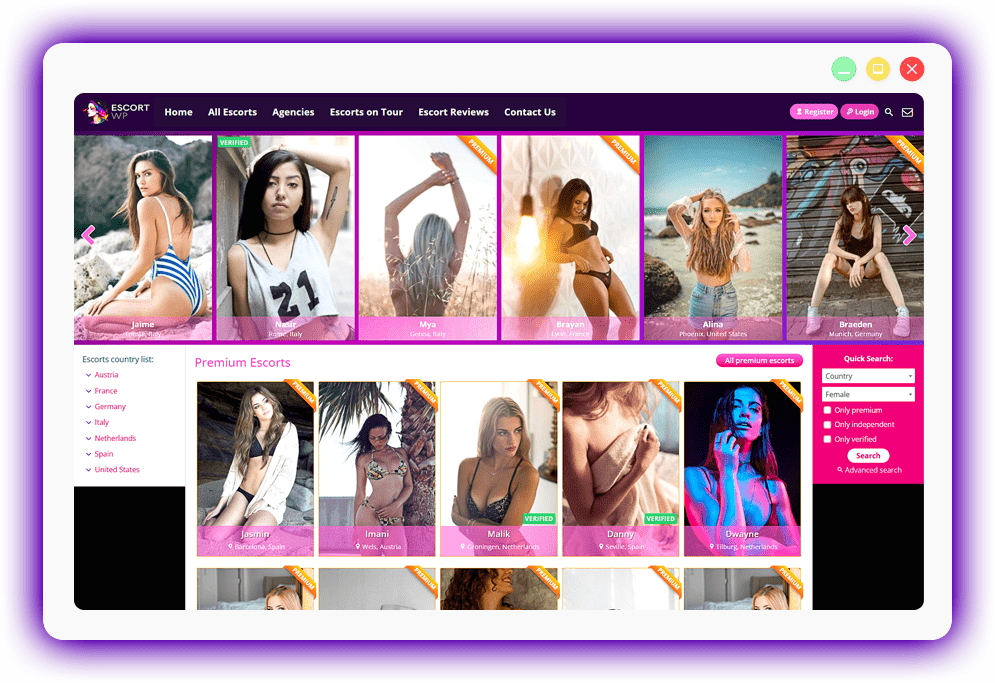
><channel><title>Dolce Pixel</title> <atom:link href="http://dolcepixel.com/feed/" rel="self" type="application/rss+xml" /><link>http://dolcepixel.com</link> <description>Premium WordPress Themes</description> <lastBuildDate>Sat, 13 Apr 2013 18:03:58 +0000</lastBuildDate> <language>en-US</language> <sy:updatePeriod>hourly</sy:updatePeriod> <sy:updateFrequency>1</sy:updateFrequency> <item><title>Classified Ads WordPress Theme</title><link>http://dolcepixel.com/classified-ads-wordpress-theme/</link> <comments>http://dolcepixel.com/classified-ads-wordpress-theme/#comments</comments> <pubDate>Fri, 21 Oct 2011 20:11:26 +0000</pubDate> <dc:creator>Chef Gaby</dc:creator> <category><![CDATA[Premium Themes]]></category> <category><![CDATA[ads]]></category> <category><![CDATA[Classifieds]]></category> <category><![CDATA[wordpress themes]]></category><guid isPermaLink="false">http://dolcepixel.com/?p=414</guid> <description><![CDATA[<p>Classified Ads WordPress theme to create your very own classified ads site. You'll find lots of features and it's really easy to set up.</p><p><a href="http://dolcepixel.com/classified-ads-wordpress-theme/">Classified Ads WordPress Theme</a></p>]]></description> <content:encoded><![CDATA[<div name="mediaspace" id="mediaspace"><div class="pro-player-container" width="610px" height="349px"><div id="pro-player-414pp-single-51a18e9f22987"></div></div></div><p>This theme will turn any WordPress installation into a fully working classified ads site. Just like eBay or Craigslist.<br /> You&#039;ll find lots of features and it&#039;s really easy to set up.</p><p>About 4 years ago I created a highly popular WordPress theme named <strong>ClassiPress</strong>. Maybe you heard about it. After a while I sold the business but I liked the idea of the theme so much that I decided to make another theme on the same concept but with improved design and concept.<br /> My new theme is <strong>DolceClassifieds</strong>.</p><h3>Other videos</h3><p>User experience around the site: <span id="showvideo1" class="video-link"><img src="http://dolcepixel.com/wp-content/themes/dolcepixel/i/view-video-button.png" alt="" /></span><br /> Admin experience around the site: <span id="showvideo2" class="video-link"><img src="http://dolcepixel.com/wp-content/themes/dolcepixel/i/view-video-button.png" alt="" /></span><br /> How to add header and menu navigation: <span id="showvideo3" class="video-link"><img src="http://dolcepixel.com/wp-content/themes/dolcepixel/i/view-video-button.png" alt="" /></span><br /> Want to see more videos? Tell us in the comments bellow.</p><div class="hiddenvideo showvideo1"><div name="mediaspace" id="mediaspace"><div class="pro-player-container" width="610px" height="349px"><div id="pro-player-414pp-single-51a18e9f323b4"></div></div></div></div><div class="hiddenvideo showvideo2"><div name="mediaspace" id="mediaspace"><div class="pro-player-container" width="610px" height="349px"><div id="pro-player-414pp-single-51a18e9f32dfb"></div></div></div></div><div class="hiddenvideo showvideo3"><div name="mediaspace" id="mediaspace"><div class="pro-player-container" width="610px" height="349px"><div id="pro-player-414pp-single-51a18e9f33738"></div></div></div></div><div class="videoplace"></div><h3>User registrations</h3><p>Your visitors will be able to register and post their own classified ads.<br /> They can upload images, set a default image for the ad, edit the ad as many times as they want and they can even upload a personal avatar image.</p><h3>PayPal Integration</h3><p>You can charge users for each ad they place on the site.<br /> You can also choose to make posting free but charge users for the possibility of showcasing their ad in the header of the site in a slider.<br /> More than this, users can buy custom border colors or background colors for their ad, so they stand out from the others.<br /> All the borders, backgrounds and prices are fully customizable by you, the admin.</p><h3>Styling options</h3><p><img class="alignnone size-full wp-image-461" title="styling" src="http://dolcepixel.com/wp-content/uploads/2011/10/styling.jpg" alt="" width="610" height="182" /><br /> The theme has one major color that is used thru out the site.<br /> Changing that color is very easy and it will make your site unique in a heart beat.<br /> You can also upload your own background color and the way you want to display it, tiled, fixed etc.</p><h3>Sorting options</h3><p><img class="alignright size-full wp-image-449" title="sorting" src="http://dolcepixel.com/wp-content/uploads/2011/10/sorting.png" alt="" width="186" height="160" />Visitors will be able to sift thru the classified ads by choosing to sort the listings by price, views or ending time.<br /> If this is not enough for them then they can also choose to see only ads with products that are new, used, reconditioned or broken and if the user has invoice or warranty for the items.<br /> City and country filtering and searching options are also available.</p><p>&nbsp;</p><h3>SEO optimized</h3><p>The WordPress theme is built with SEO in mind.<br /> All the pages have the necessary H1, H2 and H3 tags.<br /> All links have relevant title descriptions and all the images have relevant alt tags.<br /> Category pages have a custom-built breadcrumbs navigation. This improves SEO and helps the user navigate easily thru the site.</p><h3>No plugins necessary</h3><p>The Classified Ads WordPress theme works right out of the box with absolutely no plugins necessary.<br /> Everything is built into the theme.<br /> If you do want to install your own plugins for extra functionality then you can do so.</p><h3>Translation options</h3><p>The theme is built for easy translation.<br /> All the words from the theme wore carefully compiled in one single file.<br /> You only have to edit a single file to have your theme translated in any language you may wish to use it in.<br /> If you do translate it and want to share your language pack then please contact us.<br /> Languages available:<br /> - english (human translation)<br /> - dutch, french, german, greek, italian, portuguese, russian, spanish (machine translations)</p><h3>User reviews</h3><p><img class="alignright size-full wp-image-443" title="reviews" src="http://dolcepixel.com/wp-content/uploads/2011/10/reviews.png" alt="" width="202" height="86" />Users can leave other user reviews on their profile page.<br /> A review can be positive or negative. The number of reviews will show up on the profile page and on the item that the seller is advertising. This way, the users can see if the seller is trustworthy.</p><h3>Features added in v1.4</h3><p>- City and country sorting for the ads<br /> - All cities and countries have their own page with ads.<br /> - When a user ads a paid ad and does not pay immediately, he will see a payment button in the ad page.<br /> - Expired ads have the buttons for upgrades and edit ad hidden<br /> - Expired ads show a notice telling users the ad has expired<br /> - Ad owners can now close the ad(force expire) before the ad expires.<br /> - You can choose if unregistered users can post comments or contact the ad owners<br /> - You can edit the currency list right from the settings page<br /> - You can limit the ad posting to a certain country or just a small list of countries.<br /> - Added language files(machine translation) for the following languages: dutch, french, german, greek, italian, portuguese, russian, spanish</p><h3>Features added in v1.2</h3><p>- Added a search field for location to the header search form<br /> - When users post a new ad we now tell them their ad has been saved and they can upload the images<br /> - Video URL support for youtube links like: http://youtu.be/9WsB1SoPYQ4<br /> - Allow admins to set the currency sign before or after the price value<br /> - Allow admins to set a default currency for the hole site and all the ads<br /> - PayPal Sandbox feature for the theme. Admins can activate test mode so they can test the PayPal system.<br /> - Let users choose how many subcategories to show in the header category dropdown list.<br /> - Added an option to choose what happens to expired ads. Whether they should be deleted or if they should be kept on the site.<br /> - Added a separate &#034;upgrade ad&#034; button above the user&#039;s sidebar so they can see it better</p><p><a href="http://dolcepixel.com/classified-ads-wordpress-theme/">Classified Ads WordPress Theme</a></p>]]></content:encoded> <wfw:commentRss>http://dolcepixel.com/classified-ads-wordpress-theme/feed/</wfw:commentRss> <slash:comments>6</slash:comments> <enclosure url="http://dl.dropbox.com/u/36991/DolceClassifieds/Main%20Video.mp4" length="48955466" type="video/mp4" /> <enclosure url="http://dl.dropbox.com/u/36991/DolceClassifieds/How%20user%20sees%20the%20site.mp4" length="24581551" type="video/mp4" /> <enclosure url="http://dl.dropbox.com/u/36991/DolceClassifieds/How%20admin%20sees%20the%20site.mp4" length="27752591" type="video/mp4" /> <enclosure url="http://dl.dropbox.com/u/36991/DolceClassifieds/Add%20header%20and%20footer%20menu.mp4" length="25273828" type="video/mp4" /> </item> <item><title>Escort WordPress Theme</title><link>http://dolcepixel.com/escort-directory-wordpress-theme/</link> <comments>http://dolcepixel.com/escort-directory-wordpress-theme/#comments</comments> <pubDate>Sun, 21 Aug 2011 17:44:31 +0000</pubDate> <dc:creator>Chef Gaby</dc:creator> <category><![CDATA[Premium Themes]]></category><guid isPermaLink="false">http://dolcepixel.com/?p=236</guid> <description><![CDATA[<p>Build your own escort website with this escort WordPress theme. Easy to install, easy to configure. No plugins necessary.</p><p><a href="http://dolcepixel.com/escort-directory-wordpress-theme/">Escort WordPress Theme</a></p>]]></description> <content:encoded><![CDATA[<p><img class="aligncenter size-full wp-image-346" title="escort-directory" src="http://dolcepixel.com/wp-content/uploads/2011/08/escort-directory.png" alt="escort-directory" width="610" height="173" /></p><h3>Escort WordPress theme to build your own escort directory in minutes</h3><p>This theme will help you build your own escort directory in minutes.<br /> Once you install it it&#039;s ready to go.<br /> No need for configurations, no need for 10 extra plugins, just the theme.<br /> We built this theme based on client feedback and we&#039;ll continue to update the theme and make it even better.</p><h3>3 user types: Agencies, Independent Escorts &amp; Members</h3><p>Once you install the theme your visitors will be able to register on your site.<br /> Depending on what they want to do on the site they will be able to register as either an agency, an independent escort or a normal member. All user types have different capabilities as described bellow.<br /> All users register and edit their information from the front-end. At no time are they allowed to go in the WordPress dashboard so they will not even know you are using it.</p><h3>Payment options</h3><p>PayPal and Payza(ex: AlertPay) Integration + Manual payment mode<br /> You can choose from a wide selection of payment options. You can set a price for the premium status of an escort, the featured status, agency registration, escort registration, escort added by agency and VIP status for members.<br /> You can choose if the payment is recurring or not and the period for the subscription.</p><p>The theme also provides a manual payment option.<br /> You can write your bank account information for payments, Western Union, Moneybookers or any other payment processor you want.<br /> Whatever you write as the payment instructions will be displayed instead of the payment buttons.<br /> Your users will see the instructions and will need to follow them in order to buy anything on your website.<br /> You can even paste your own &#034;buy now&#034; button code for each of the payment options.</p><h3>Moderation options</h3><p>You can choose to put all escort and agency registrations in moderation. The profiles will only become public after an admin activates them. You can also choose to have them become public immediately. Setting a price for the registration will only activate the profiles after payment.</p><h3>Independent escorts</h3><p>Escorts will be able to register on your website and add their full details.<br /> All escorts will have a profile page where they can add images, a description and a lot more details about themselves, their rates or services.<br /> All the information they add is completely editable by the escorts directly from the front-end of the site.</p><h3>Agencies</h3><p>All agencies can add more than one escort profile. They have the same capabilities as the escorts just that they will be able to edit all the escorts they have added.</p><h3>Members</h3><p>Members are the ones who can add reviews to escorts or add reviews to agencies.<br /> They can also add escorts to their favorites and view the list in their account.</p><h3>Super admin</h3><p>The website admin can edit every escort right from the profile page.<br /> The admin can add/delete images, add tours or delete escorts.</p><h3>All the features you would expect to have</h3><p>- Email verification for the signups<br /> - Escort slideshow in the header<br /> - Predefined country list in the sidebar<br /> - Profile image management<br /> - Page to hide or show sections of the site<br /> - Show/hide registration fields and choose which are mandatory<br /> - 100% image(verification) uploading<br /> - Profile pages for the escorts<br /> - Complete editing of profiles<br /> - Premium status<br /> - Verified Status<br /> - Escort tours<br /> - Job postings<br /> - Reviews and star rating system for escorts and agencies<br /> - Blacklist for clients and escorts<br /> - Advanced search page<br /> - Widgetized header, sidebars and footer.<br /> - Ad space in the header, sidebars and footer.<br /> - Contact forms on all escort profiles and agency pages<br /> - Website contact form<br /> - RSS with all the escorts<br /> - Social links in the header<br /> - Website logo upload<br /> &#8230; many more</p><h3>Admin menus and admin pages preview</h3><p><a href="http://dolcepixel.com/wp-content/uploads/2011/08/escort-directory-wordpress-theme-email-settings.jpg" rel="nofollow" target="_blank">Email settings page</a><br /> <a href="http://dolcepixel.com/wp-content/uploads/2011/08/escort-directory-wordpress-theme-payment-settings.jpg" rel="nofollow" target="_blank">Payment settings page</a><br /> <a href="http://dolcepixel.com/wp-content/uploads/2011/08/escort-directory-wordpress-theme-show-hide-registration-fields.jpg" rel="nofollow" target="_blank">Show hide registration fields settings page</a><br /> <a href="http://dolcepixel.com/wp-content/uploads/2011/08/escort-directory-wordpress-theme-show-hide-site-sections.jpg" rel="nofollow" target="_blank">Show hide site sections page</a><br /> <a href="http://dolcepixel.com/wp-content/uploads/2011/08/escort-directory-wordpress-theme-site-settings.jpg" rel="nofollow" target="_blank">Site settings page</a><br /> <img class="alignnone size-full wp-image-553" title="profile-admin-links" src="http://dolcepixel.com/wp-content/uploads/2011/08/profile-admin-links.png" alt="escort wordpress theme admin menu" width="434" height="391" /></p><h3>Documentation</h3><p>We have included a detailed documentation file along with the theme. You will learn what all the settings pages are used for and how the theme works.</p><h3>Features added in v1.4</h3><p>- all users need to validate their email address before they can use the site<br /> - new admin settings page where admins can choose what form fields the escort registration page will have. Admins can also choose what fields are mandatory or which fields should appear in the search page.<br /> - new admin settings page to hide certain sections of the theme<br /> - Added a manual payment option. Admin can add a bank account or any other form of payment and can even add his own payment button code for each type of payment. That way the admin can use any payment gateway he wants.<br /> - added registration fee for agency and subscription options<br /> - added registration fee for escort added by an agency and subscription options also<br /> - added registration fee for independent escort registration and subscription options also<br /> - added VIP membership for normal members. With VIP membership they can see the escort&#039;s photos and contact information<br /> - subscriptions for the premium status, featured status and VIP status<br /> - the admin can choose if the new profiles for registered escorts or agencies show-up on the site automatically or if the profiles need to be activated by the admin manually. The escorts or agencies can still edit their profiles in the meantime. The sidebar for the pending profiles will have a new button visible only to admins from where they can activate the profiles<br /> - show a language dropdown in the header so users can change the site&#039;s language<br /> - send notification emails 2 days before a payed option is about to expire to remind the user to renew. Email notifications are active for premium/featured/vip status and registration payments for agencies or escorts<br /> - delete premium/featured/vip status from profiles if they expire<br /> - delete agency/escort profile if registration date expired<br /> - send notification emails if a purchased option has expired and has been removed from the profile or the profile has been removed<br /> - expiration emails and profile deletion only works for payment options without recurring payments. for those accounts the profile payment options only expire if the user cancels the subscription.<br /> - Changed AlertPay to Payza<br /> - Added PayPal payment gateway<br /> - changed all the escort categories(wrong way) to the custom post type taxonomies(correct way)<br /> - when escorts register, check if they are over 18 years old based on the birthday provided<br /> - when clicking the edit tour icon from the escort profile show an ajax loading gif until the tour information loads<br /> - Added language files(machine translation) for the following languages: dutch, french, german, greek, italian, portuguese, russian, spanish</p><p><a href="http://dolcepixel.com/escort-directory-wordpress-theme/">Escort WordPress Theme</a></p>]]></content:encoded> <wfw:commentRss>http://dolcepixel.com/escort-directory-wordpress-theme/feed/</wfw:commentRss> <slash:comments>9</slash:comments> </item> <item><title>Easy Twitter Button &#8211; Free WordPress Plugin</title><link>http://dolcepixel.com/easy-twitter-button/</link> <comments>http://dolcepixel.com/easy-twitter-button/#comments</comments> <pubDate>Wed, 06 Oct 2010 02:39:45 +0000</pubDate> <dc:creator>Chef Gaby</dc:creator> <category><![CDATA[Free Plugins]]></category> <category><![CDATA[plugin]]></category> <category><![CDATA[tweet]]></category> <category><![CDATA[tweet button]]></category> <category><![CDATA[twitter]]></category><guid isPermaLink="false">http://dolcepixel.com/?p=212</guid> <description><![CDATA[<p>"Easy Twitter Button" will help you add the official twitter button in your articles.
The plugin is easy to customize and works right immediately activation.</p><p><a href="http://dolcepixel.com/easy-twitter-button/">Easy Twitter Button &#8211; Free WordPress Plugin</a></p>]]></description> <content:encoded><![CDATA[<p><a href="http://downloads.wordpress.org/plugin/easy-twitter-button.1.2.2.zip"><img class="size-full wp-image-274 alignright" title="easy-twitter-button" src="http://dolcepixel.com/wp-content/uploads/2010/10/easy-twitter-button.jpg" alt="" width="236" height="170" /></a>&#034;Easy Twitter Button&#034; will help you add the official twitter button in your articles.<br /> The plugin is easy to customize and works immediately after activation.<br /> You will be able to choose where the button shows up inside an article, what type of twitter button to show and what text to send when a user clicks the button.</p><p><a href="http://wordpress.org/extend/plugins/easy-twitter-button/" target="_blank">See plugin page on wordpress.org here</a><br /> or<br /> <a class="downloadlink dlimg" href="http://downloads.wordpress.org/plugin/easy-twitter-button.1.2.2.zip">Download plugin from wordpress.org</a></p><p><a href="http://dolcepixel.com/easy-twitter-button/">Easy Twitter Button &#8211; Free WordPress Plugin</a></p>]]></content:encoded> <wfw:commentRss>http://dolcepixel.com/easy-twitter-button/feed/</wfw:commentRss> <slash:comments>0</slash:comments> </item> <item><title>Fresh Lime &#8211; Free WordPress Theme</title><link>http://dolcepixel.com/fresh-lime-free-wordpress-theme/</link> <comments>http://dolcepixel.com/fresh-lime-free-wordpress-theme/#comments</comments> <pubDate>Fri, 02 Jul 2010 19:45:46 +0000</pubDate> <dc:creator>Chef Gaby</dc:creator> <category><![CDATA[Free Themes]]></category><guid isPermaLink="false">http://dolcepixel.com/?p=195</guid> <description><![CDATA[<p>This theme should only be served with a glass of mojito next to it :)
It's the perfect theme for an eco-friendly person or someone who has an obsession with green.</p><p><a href="http://dolcepixel.com/fresh-lime-free-wordpress-theme/">Fresh Lime &#8211; Free WordPress Theme</a></p>]]></description> <content:encoded><![CDATA[<p><img class="alignright size-full wp-image-175" title="screenshot" src="http://dolcepixel.com/themes/wp-content/themes/freshlime/screenshot.png" alt="" width="300" height="255" />This theme should only be served with a glass of mojito next to it <img src='http://dolcepixel.com/wp-includes/images/smilies/icon_smile.gif' alt=':)' class='wp-smiley' /><br /> It&#039;s the perfect theme for an eco-friendly person or someone who has an obsession with green.<br /> - Two column design<br /> - xHtml valid<br /> - gorgeous green colors<br /> - Widget ready<br /> - Minimalistic<br /> - Gravatars<br /> - Fixed width<br /> - Right sidebar</p><p><a href="http://dolcepixel.com/fresh-lime-free-wordpress-theme/">Fresh Lime &#8211; Free WordPress Theme</a></p>]]></content:encoded> <wfw:commentRss>http://dolcepixel.com/fresh-lime-free-wordpress-theme/feed/</wfw:commentRss> <slash:comments>2</slash:comments> </item> <item><title>SolemnTextile &#8211; Free WordPress Theme</title><link>http://dolcepixel.com/solemntextile-free-wordpress-theme/</link> <comments>http://dolcepixel.com/solemntextile-free-wordpress-theme/#comments</comments> <pubDate>Sun, 14 Feb 2010 13:23:39 +0000</pubDate> <dc:creator>Chef Gaby</dc:creator> <category><![CDATA[Free Themes]]></category> <category><![CDATA[free theme]]></category> <category><![CDATA[gravatars]]></category> <category><![CDATA[minimalistic]]></category> <category><![CDATA[solemntexile]]></category> <category><![CDATA[two columns]]></category> <category><![CDATA[valid XHTML]]></category> <category><![CDATA[widgets]]></category> <category><![CDATA[Wordpress]]></category><guid isPermaLink="false">http://dolcepixel.com/?p=171</guid> <description><![CDATA[<p>We compare all of our themes with food. This theme, to us, looks like a brownie.
This is our only theme that uses dark colors. As you can probably see we like bright colors.</p><p><a href="http://dolcepixel.com/solemntextile-free-wordpress-theme/">SolemnTextile &#8211; Free WordPress Theme</a></p>]]></description> <content:encoded><![CDATA[<p><img class="alignright size-full wp-image-175" title="screenshot" src="http://dolcepixel.com/themes/wp-content/themes/solemntextile/screenshot.png" alt="" width="300" height="255" />We compare all of our themes with food. This theme, to us, looks like a brownie.<br /> This is our only theme that uses dark colors. As you can probably see we like bright colors.<br /> - Two column design<br /> - Dark colors<br /> - xHtml valid<br /> - Widget ready<br /> - Minimalistic<br /> - Gravatars<br /> - Fixed width<br /> - Right sidebar</p><p><a href="http://dolcepixel.com/solemntextile-free-wordpress-theme/">SolemnTextile &#8211; Free WordPress Theme</a></p>]]></content:encoded> <wfw:commentRss>http://dolcepixel.com/solemntextile-free-wordpress-theme/feed/</wfw:commentRss> <slash:comments>0</slash:comments> </item> <item><title>Bella &#8211; Free WordPress Theme</title><link>http://dolcepixel.com/bella-free-wordpress-theme/</link> <comments>http://dolcepixel.com/bella-free-wordpress-theme/#comments</comments> <pubDate>Sat, 13 Sep 2008 17:15:25 +0000</pubDate> <dc:creator>Chef Gaby</dc:creator> <category><![CDATA[Free Themes]]></category> <category><![CDATA[black]]></category> <category><![CDATA[blue]]></category> <category><![CDATA[fixed width]]></category> <category><![CDATA[gravatars]]></category> <category><![CDATA[minimalist]]></category> <category><![CDATA[minimalistic]]></category> <category><![CDATA[orange]]></category> <category><![CDATA[simple]]></category> <category><![CDATA[two columns]]></category> <category><![CDATA[valid XHTML]]></category> <category><![CDATA[widget ready]]></category> <category><![CDATA[widgets]]></category><guid isPermaLink="false">http://dolcepixel.com/?p=109</guid> <description><![CDATA[<p>Another one of our minimalist WordPress themes.
This one looks like a cake. It uses bright colors, which we love to use, and it's suited for people who enjoy some color in their life.</p><p><a href="http://dolcepixel.com/bella-free-wordpress-theme/">Bella &#8211; Free WordPress Theme</a></p>]]></description> <content:encoded><![CDATA[<p><img class="alignright size-full wp-image-110" title="screenshot" src="http://dolcepixel.com/themes/wp-content/themes/bella/screenshot.png" alt="" width="300" height="225" />Another one of our minimalist WordPress themes.<br /> This one looks like a cake. It uses bright colors, which we love to use, and it&#039;s suited for people who enjoy some color in their life.<br /> - Two column design<br /> - xHtml valid<br /> - Widget ready<br /> - Minimalistic<br /> - Gravatars<br /> - Catchy colors</p><p><a href="http://dolcepixel.com/bella-free-wordpress-theme/">Bella &#8211; Free WordPress Theme</a></p>]]></content:encoded> <wfw:commentRss>http://dolcepixel.com/bella-free-wordpress-theme/feed/</wfw:commentRss> <slash:comments>157</slash:comments> </item> <item><title>Photo-Blog &#8211; Free WordPress Theme</title><link>http://dolcepixel.com/photo-blog-free-wordpress-theme/</link> <comments>http://dolcepixel.com/photo-blog-free-wordpress-theme/#comments</comments> <pubDate>Sun, 10 Aug 2008 16:37:32 +0000</pubDate> <dc:creator>Chef Gaby</dc:creator> <category><![CDATA[Free Themes]]></category> <category><![CDATA[free]]></category> <category><![CDATA[photo-blog]]></category> <category><![CDATA[theme]]></category> <category><![CDATA[Wordpress]]></category><guid isPermaLink="false">http://dolcepixel.com/?p=62</guid> <description><![CDATA[<p>We started this theme long time ago but since we had other projects at that moment we decided to stop working on it and leave it for another time. Time did pass and after almost a year we finally decided to finish it.</p><p><a href="http://dolcepixel.com/photo-blog-free-wordpress-theme/">Photo-Blog &#8211; Free WordPress Theme</a></p>]]></description> <content:encoded><![CDATA[<p><img src="http://dolcepixel.com/photo-blog/wp-content/themes/photo-blog/screenshot.png" alt="" title="screenshot" width="300" height="209" class="alignright size-full wp-image-87" />We started this theme long time ago but since we had other projects at that moment we decided to stop working on it and leave it for another time. Time did pass and after almost a year we finally decided to finish it.<br /> This is a theme in collaboration with <a href="http://colorcharge.com/" target="_blank" rel="nofollow">ColorCharge</a>. Thanks Rick.<br /> - theme specially made for photo blogs<br /> - single column design<br /> - Unique design<br /> - xHtml valid<br /> - Widget ready</p><p><a href="http://dolcepixel.com/photo-blog-free-wordpress-theme/">Photo-Blog &#8211; Free WordPress Theme</a></p>]]></content:encoded> <wfw:commentRss>http://dolcepixel.com/photo-blog-free-wordpress-theme/feed/</wfw:commentRss> <slash:comments>54</slash:comments> </item> <item><title>Dum-Dum &#8211; Free WordPress Theme</title><link>http://dolcepixel.com/dum-dum-free-wordpress-theme/</link> <comments>http://dolcepixel.com/dum-dum-free-wordpress-theme/#comments</comments> <pubDate>Sun, 06 Jul 2008 17:00:49 +0000</pubDate> <dc:creator>Chef Gaby</dc:creator> <category><![CDATA[Free Themes]]></category> <category><![CDATA[dum-dum]]></category> <category><![CDATA[free]]></category> <category><![CDATA[gravatars]]></category> <category><![CDATA[minimalist]]></category> <category><![CDATA[theme]]></category> <category><![CDATA[two columns]]></category><guid isPermaLink="false">http://dolcepixel.com/?p=28</guid> <description><![CDATA[<p>This is our very first theme that we built.
We decided for a minimalist design and catchy colors and the number of downloads it got showed us you really liked the theme.</p><p><a href="http://dolcepixel.com/dum-dum-free-wordpress-theme/">Dum-Dum &#8211; Free WordPress Theme</a></p>]]></description> <content:encoded><![CDATA[<p><img class="alignright size-full wp-image-73" title="dum-dum" src="http://dolcepixel.com/themes/wp-content/themes/dum-dum/screenshot.png" alt="" width="300" height="225" />This is our very first theme that we built.<br /> We decided for a minimalist design and catchy colors and the number of downloads it got showed us you really liked the theme.<br /> - Two column theme.<br /> - Catchy colors<br /> - Unique design<br /> - xHtml valid<br /> - Widget ready<br /> - Gravatars</p><p><a href="http://dolcepixel.com/dum-dum-free-wordpress-theme/">Dum-Dum &#8211; Free WordPress Theme</a></p>]]></content:encoded> <wfw:commentRss>http://dolcepixel.com/dum-dum-free-wordpress-theme/feed/</wfw:commentRss> <slash:comments>166</slash:comments> </item> <item><title>WordPress wallpaper &#8211; WordPress is the best</title><link>http://dolcepixel.com/wordpress-wallpaper-wordpress-is-the-best/</link> <comments>http://dolcepixel.com/wordpress-wallpaper-wordpress-is-the-best/#comments</comments> <pubDate>Wed, 02 Jul 2008 20:36:46 +0000</pubDate> <dc:creator>Chef Gaby</dc:creator> <category><![CDATA[Wallpapers]]></category> <category><![CDATA[wallpaper]]></category> <category><![CDATA[Wordpress]]></category><guid isPermaLink="false">http://dolcepixel.com/?p=25</guid> <description><![CDATA[<p>Download the size you need: 2560&#215;1600 wide 1280&#215;800 wide 1024&#215;768 iPhone 3G &#038; 3GS &#8211; 320&#215;480 iPhone 4(Retina Display) &#8211; 640&#215;960</p><p><a href="http://dolcepixel.com/wordpress-wallpaper-wordpress-is-the-best/">WordPress wallpaper &#8211; WordPress is the best</a></p>]]></description> <content:encoded><![CDATA[<p><img src="http://dolcepixel.com/wp-content/uploads/2008/07/wallpaper.jpg" alt="" title="wallpaper" class="alignright size-full wp-image-70" />Download the size you need:<br /> <a href="http://dolcepixel.com/wp-content/uploads/2008/07/wp-is-the-best-2560x1600.jpg" target="_blank">2560&#215;1600 wide</a><br /> <a href="http://dolcepixel.com/wp-content/uploads/2008/07/wp-is-the-best-1280x800.jpg" target="_blank">1280&#215;800 wide</a><br /> <a href="http://dolcepixel.com/wp-content/uploads/2008/07/wp-is-the-best-1024x768.jpg" target="_blank">1024&#215;768</a><br /> <a href="http://dolcepixel.com/wp-content/uploads/2008/07/wp-is-the-best-320x480-iPhone3G.jpg" target="_blank">iPhone 3G &#038; 3GS &#8211; 320&#215;480</a><br /> <a href="http://dolcepixel.com/wp-content/uploads/2008/07/wp-is-the-best-640x960-iPhone4.jpg" target="_blank">iPhone 4(Retina Display) &#8211; 640&#215;960</a></p><p><a href="http://dolcepixel.com/wordpress-wallpaper-wordpress-is-the-best/">WordPress wallpaper &#8211; WordPress is the best</a></p>]]></content:encoded> <wfw:commentRss>http://dolcepixel.com/wordpress-wallpaper-wordpress-is-the-best/feed/</wfw:commentRss> <slash:comments>12</slash:comments> </item> <item><title>How to watermark all your uploaded images</title><link>http://dolcepixel.com/how-to-watermark-all-your-uploaded-images/</link> <comments>http://dolcepixel.com/how-to-watermark-all-your-uploaded-images/#comments</comments> <pubDate>Wed, 02 Jul 2008 09:33:11 +0000</pubDate> <dc:creator>Chef Gaby</dc:creator> <category><![CDATA[Tips & Tricks]]></category> <category><![CDATA[htaccess]]></category> <category><![CDATA[image]]></category> <category><![CDATA[mod_rewrite]]></category> <category><![CDATA[php]]></category> <category><![CDATA[png]]></category> <category><![CDATA[watermark]]></category><guid isPermaLink="false">http://dolcepixel.com/?p=24</guid> <description><![CDATA[<p>How many of you wanted to place a watermark on all of your images?
Let's say you are just starting your own blog and the first solution that comes to mind is to fire up Adobe Photoshop or any other image editing program and place a watermark on all your images. It is time consuming but it will work.But what if you have a blog for a really long time and you just decided you want to watermark all your images? You would have to copy all your images from your blog to your computer, open all of them up and add a watermark. Not good.</p><p><a href="http://dolcepixel.com/how-to-watermark-all-your-uploaded-images/">How to watermark all your uploaded images</a></p>]]></description> <content:encoded><![CDATA[<p>How many of you wanted to place a watermark on all of your images?<br /> Let&#039;s say you are just starting your own blog and the first solution that comes to mind is to fire up Adobe Photoshop or any other image editing program and place a watermark on all your images. It is time consuming but it will work.</p><p>But what if you have a blog for a really long time and you just decided you want to watermark all your images? You would have to copy all your images from your blog to your computer, open all of them up and add a watermark. Not good.</p><p>But what about the original images? What if you ever need them without the watermark?<br /> Here is my solution. I have used this on a number of blogs and it does the job really well.</p><p>What we are going to do is fake the display of an image. What we are displaying instead of the image is a php file that processes the image and ads a watermark to it. The url of the image stays the same, the watermark gets printed on the image and best of all the image on the server doesn&#039;t stays intact.</p><p>All you need is a bit of code in your .htaccess file, a php watermark processing file and a watermark image (png preferably).</p><h3>Step 1</h3><p>Add this code in your .htaccess file:</p><pre class="brush: php;">
RewriteRule (.*)wp-content/uploads/(.*\.(jpe?g|gif|png)$ $1watermark.php?p=br&#038;q=90&#038;src=wp-content/uploads/$2
</pre><p>Change <strong>p=br</strong> and <strong>q=90</strong> with your preferred watermark position and image quality.</p><h3>Step 2</h3><p>Create a new file in the root of your directory(where wp-admin, wp-content and wp-include is) and name that file watermark.php. After that copy and paste the code below in that file and save it(obviously).</p><pre class="brush: php;">
//we tell the server to treat this file as if it wore an image
header('Content-type: image/jpeg');
//image file path
$img = $_GET['src'];
//watermark position
$p = $_GET['p']; if(!$p) $p = 'br';
/*
p can be anything from the following list:
tl = top left
tc = top center
tr = top right
cl = center left
c = center of the image
cr = center right
bl = bottom left
bc = bottom center
br = bottom right
*/
//watermarked image quality
$q = $_GET['q'];
//if the quality field is missing or is not on the 0 to 100 scale then we set the quality to 93
if(!$q || $q<0 || $q>100) $q = '93';


$filetype = substr($img,strlen($img)-4,4);
$filetype = strtolower($filetype);
if($filetype == ".gif") $image = @imagecreatefromgif($img);
if($filetype == ".jpg") $image = @imagecreatefromjpeg($img);
if($filetype == ".png") $image = @imagecreatefrompng($img);
if (!$image) die();

//getting the image size for the original image
$img_w = imagesx($image);
$img_h = imagesy($image);
//if the filename has 150x150 in it's name then we don't apply the watermark
if (eregi("150x150", $img)) {
	imagejpeg($image, null, $q); die();
} else {
	$watermark = @imagecreatefrompng('watermark.png');
}
/*
//if you want to use the watermark only on bigger images then use this instead of the condition above
if ($img_w < "150") {//if image width is less then 150 pixels
	imagejpeg($image, null, $q); die();
} else {
	$watermark = @imagecreatefrompng('watermark.png');
}
*/

//getting the image size for the watermark
$w_w = imagesx($watermark);
$w_h = imagesy($watermark);

if($p == "tl") {
	$dest_x = 0;
	$dest_y = 0;
} elseif ($p == "tc") {
	$dest_x = ($img_w - $w_w)/2;
	$dest_y = 0;
} elseif ($p == "tr") {
	$dest_x = $img_w - $w_w;
	$dest_y = 0;
} elseif ($p == "cl") {
	$dest_x = 0;
	$dest_y = ($img_h - $w_h)/2;
} elseif ($p == "c") {
	$dest_x = ($img_w - $w_w)/2;
	$dest_y = ($img_h - $w_h)/2;
} elseif ($p == "cr") {
	$dest_x = $img_w - $w_w;
	$dest_y = ($img_h - $w_h)/2;
} elseif ($p == "bl") {
	$dest_x = 0;
	$dest_y = $img_h - $w_h;
} elseif ($p == "bc") {
	$dest_x = ($img_w - $w_w)/2;
	$dest_y = $img_h - $w_h;
} elseif ($p == "br") {
	$dest_x = $img_w - $w_w;
	$dest_y = $img_h - $w_h;
}

imagecopy($image, $watermark, $dest_x, $dest_y, 0, 0, $w_w, $w_h);
imagejpeg($image, null, $q);
imagedestroy($image);
imagedestroy($watermark);
</pre><p>Use any image editor you like and create a png file that you will use as your watermark image. Save that image with the name "watermark.png" and put it in your root directory.</p><p>I also made an archive with everything you need:<br /> <a class="downloadlink" href="http://dolcepixel.com/download/watermark.zip" title="Version 1.0 downloaded 14237 times" >Watermark Script (3.8 kB)</a></p><p><a href="http://dolcepixel.com/how-to-watermark-all-your-uploaded-images/">How to watermark all your uploaded images</a></p>]]></content:encoded> <wfw:commentRss>http://dolcepixel.com/how-to-watermark-all-your-uploaded-images/feed/</wfw:commentRss> <slash:comments>109</slash:comments> </item> </channel> </rss>
<!-- Dynamic page generated in 0.386 seconds. -->
<!-- Cached page generated by WP-Super-Cache on 2013-05-26 06:25:03 -->